MacBook Air 13 (M4) for Developers: The Featherweight Workhorse
- Published on
- Authors
- Name
- Spaghetti Code Jungle
- @spagcodejungle
MacBook Air 13 (M4) for Developers: The Featherweight Workhorse
1. Why the Air Still Slaps for Devs
Fanless, light, and now with an M-series jump that keeps single-core snappy.
“Developer reality”: most of your day is editor, terminal, browser, local services—Air nails it.
2. Performance in Practice
Web: npm/yarn/pnpm installs, Vite/Next dev servers = instant feedback loops.
Mobile: Swift/Flutter/React Native builds are brisk for day-to-day; CI handles heavy lifts.
Data/ML: Great for notebooks, on-device inference demos via the Neural Engine; training = use cloud.
Docker: Apple Silicon images are mature; multi-arch builds fine with emulation (slower).
3. Battery & Thermals
All-day sessions with editor + browser + Docker compose + Slack.
Stays cool on laps in long meetings; zero fan spin (because… no fan).
4. RAM & Storage: What to Pick
16 GB: Solid baseline for web/mobile.
24–32 GB: Safer for multi-service Docker + IDE + browser tab jungles. But i find that 16GB works fine.
Storage: 512 GB minimum (containers + node_modules + Xcode eat space), 1 TB if you do any media.
5. Compatibility
Homebrew: Native on Apple Silicon.
VMs: UTM/Parallels for ARM; use remote x86 if you must.
Tooling: Rosetta fills gaps; most mainstream CLIs have native builds.
6. When to Go Pro Instead
Heavy local iOS builds all day, Unreal/Unity, 4K video, lots of external displays, or you need max RAM/ports.
7. Quick spec/practical differences
| Area | Air 13 (M4) | Pro 14 (M4) | Why it matters (devs) |
|---|---|---|---|
| Cooling | Fanless | Fans (active cooling) | Pro sustains turbo clocks longer during long compiles/tests; Air may throttle on extended loads. |
| Display | 13.6" Liquid Retina, 500 nits, 60 Hz | 14.2" Liquid Retina XDR, up to 1000 nits SDR / 1600 HDR, ProMotion 120 Hz | Pro’s panel is brighter, HDR-ready, and smoother; nicer for long reading sessions and any HDR/media work. |
| Ports | 2× Thunderbolt 4, MagSafe 3, headphone | 3× Thunderbolt 4, HDMI, SDXC, MagSafe 3, headphone | Extra TB port + HDMI + SD = fewer dongles; useful for docks, monitors, cameras. |
| External displays | Up to 2 externals with lid open (plus internal), subject to res/Hz | Up to 2 externals on M4 (more only on M4 Max) | Parity for base M4; if you need 3–4 displays, you must step to M4 Max. |
| Battery (rated) | Up to 18 hrs video / 15 hrs web | Up to ~22 hrs video (M4 Pro/Max have larger battery) | In light dev, Pro can run longer; both are “all-day.” Check actual config pages. |
| Weight | ~1.24 kg (2.7 lb) | ~1.6 kg (3.5 lb) | Air is meaningfully lighter for travel. |
| Price (starting, M4 generation) | Typically lower (Air starts ~$999 in 2025 lineup) | Pro starts higher (14" M4 typically ~$1,599) | You’re paying for XDR display, ports, cooling, larger battery. |
8. Verdict & Configs
Sweet spot: 16–24 GB RAM, 512 GB–1 TB SSD.
Why Air: It optimizes the highest-leverage dev loop—think → edit → run → ship —without anchoring you to a desk.
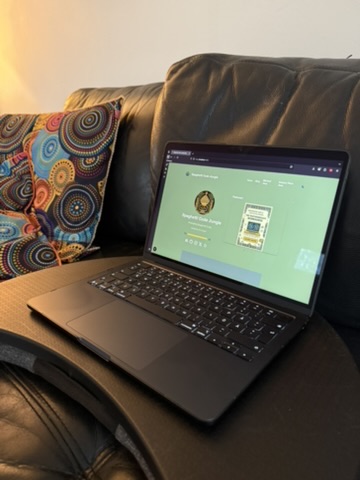
I have been using mine for just over week now and i am very happy with it.
It has:
- Blazing single-core, cool and quiet, all-day battery.
- Perfect for web, mobile, CLI, and light ML prototyping; not a render farm.
- If you ship code more than you compile giant monorepos, this is your daily driver.